How to Announce a Product Release on X: 10 Post Formats for Developer Tools
Ten X post formats for release announcements, matched to the kind of change (launch, feature, fix, performance, breaking), with templates, examples and the rules that apply to all of them.
The short answer
Match the post to the change. Use a launch format for a big release, "You can now" or before/after for a feature, symptom-first for a bug fix, old-to-new numbers for performance and a heads-up for breaking changes. Lead with what changed, show proof such as a snippet or a number, name the version and link to the release notes.
Key takeaways
- Only announce what's in a release users can install, not what merged.
- One post, one change. The full list belongs in the changelog.
- Proof beats adjectives: a snippet, a before/after or a measured number.
- Rotate formats so your feed doesn't open with "Introducing" every time.
Most release announcements on X look the same: "🚀 Excited to announce v3.0 is here! 🎉" followed by a link. Developers have learned to scroll straight past them, and the feature that took your team a quarter gets the same three seconds of attention as a typo fix.
The fix isn't cleverer copy. It's matching the post to what actually changed. A bug fix, a performance win, a breaking change and a major launch each need a different shape. This guide gives you ten post formats for announcing a product release on X, each with a template, an example and a note on when to use it, plus the rules that apply to all of them.
Before you write: is it actually released?
Check this first, because it's the most expensive mistake in developer marketing: announcing something users can't install yet.
A pull request merging isn't a release. It might sit on main for weeks behind a release train, a feature flag or a staged rollout. If your post goes out when the PR merges, someone will try the feature, find it doesn't exist in the version they have, and open an issue, or worse, quietly decide your announcements can't be trusted.
Announce from a tagged release (or a deploy you've confirmed is live), and link to something that proves it: the release notes, the changelog entry or the docs page.
The anatomy of a launch post
Whatever format you use, a release post on X has four parts:
- The first line does all the work. On a busy timeline it's often the only line read. Say what changed, for whom, in plain words.
- The one thing. One capability, one fix, one number. If you have five things to say, pick the most important for the post and put the rest in a thread or the release notes.
- Proof. A code snippet, a before-and-after, a measured number or a screenshot. Something concrete that shows you aren't just making a claim.
- A link to the release notes, changelog or docs, so the people who are interested can act on it.
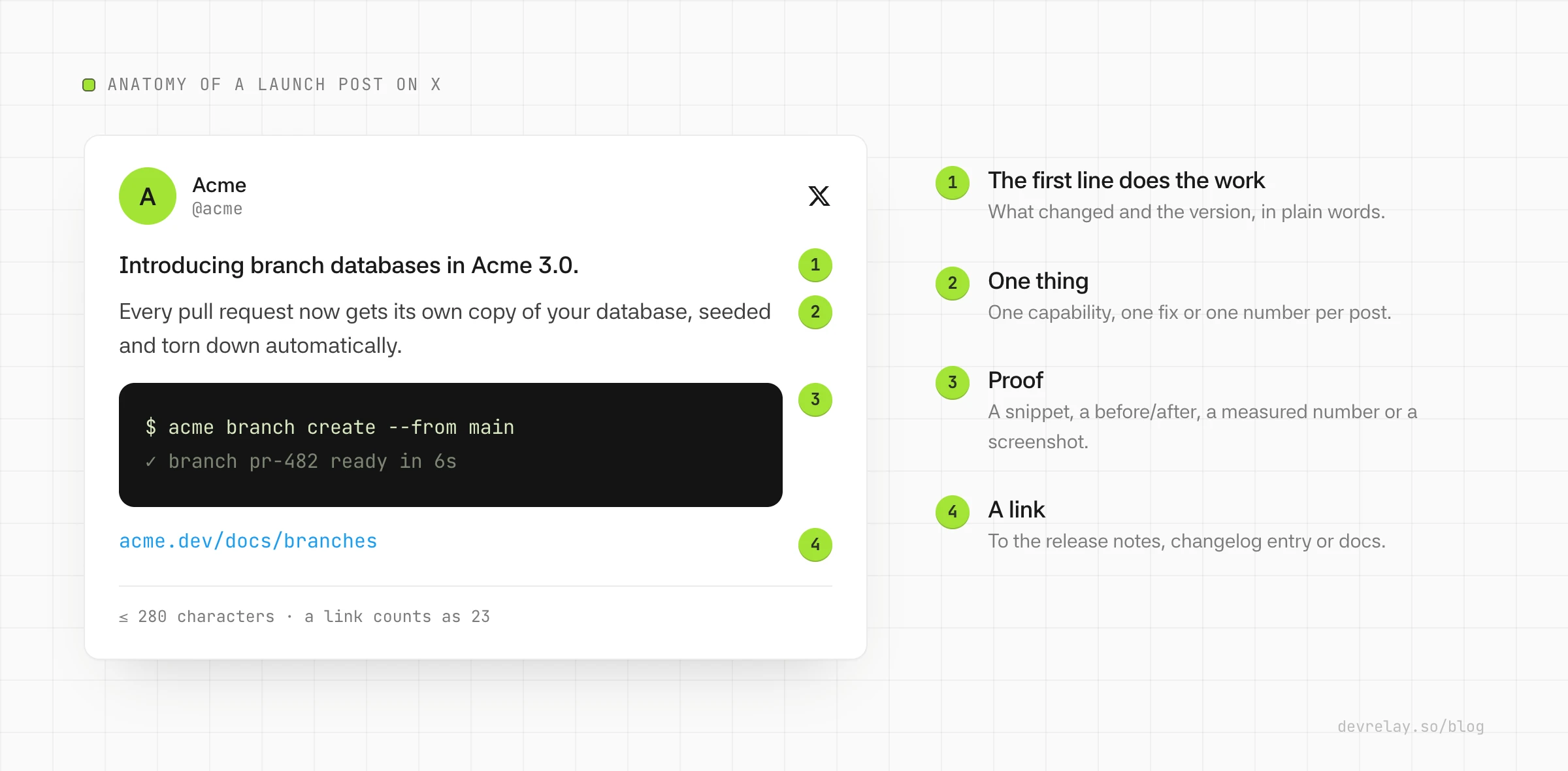
A note on length: standard X posts are limited to 280 characters, and every link counts as 23 characters no matter how long the URL is, because X wraps it in its own short link. That's enough for a first line, one detail and a link. If you need more, use a thread.
Choosing a format
The format should follow from the kind of change you're announcing:
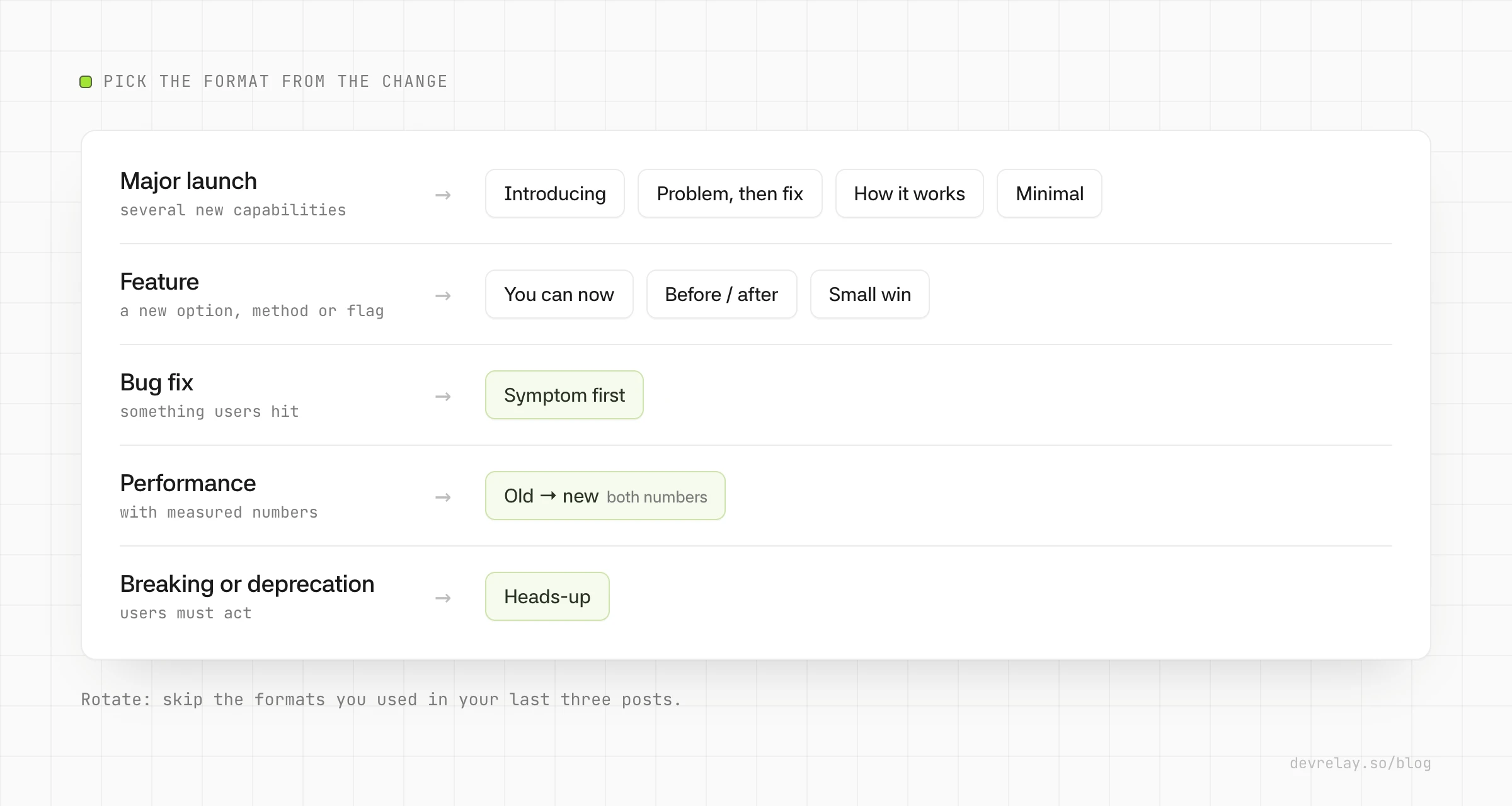
The examples below use a made-up product, Acme, a database with per-branch copies. Copy the structure, not the claims.
Formats for a major launch
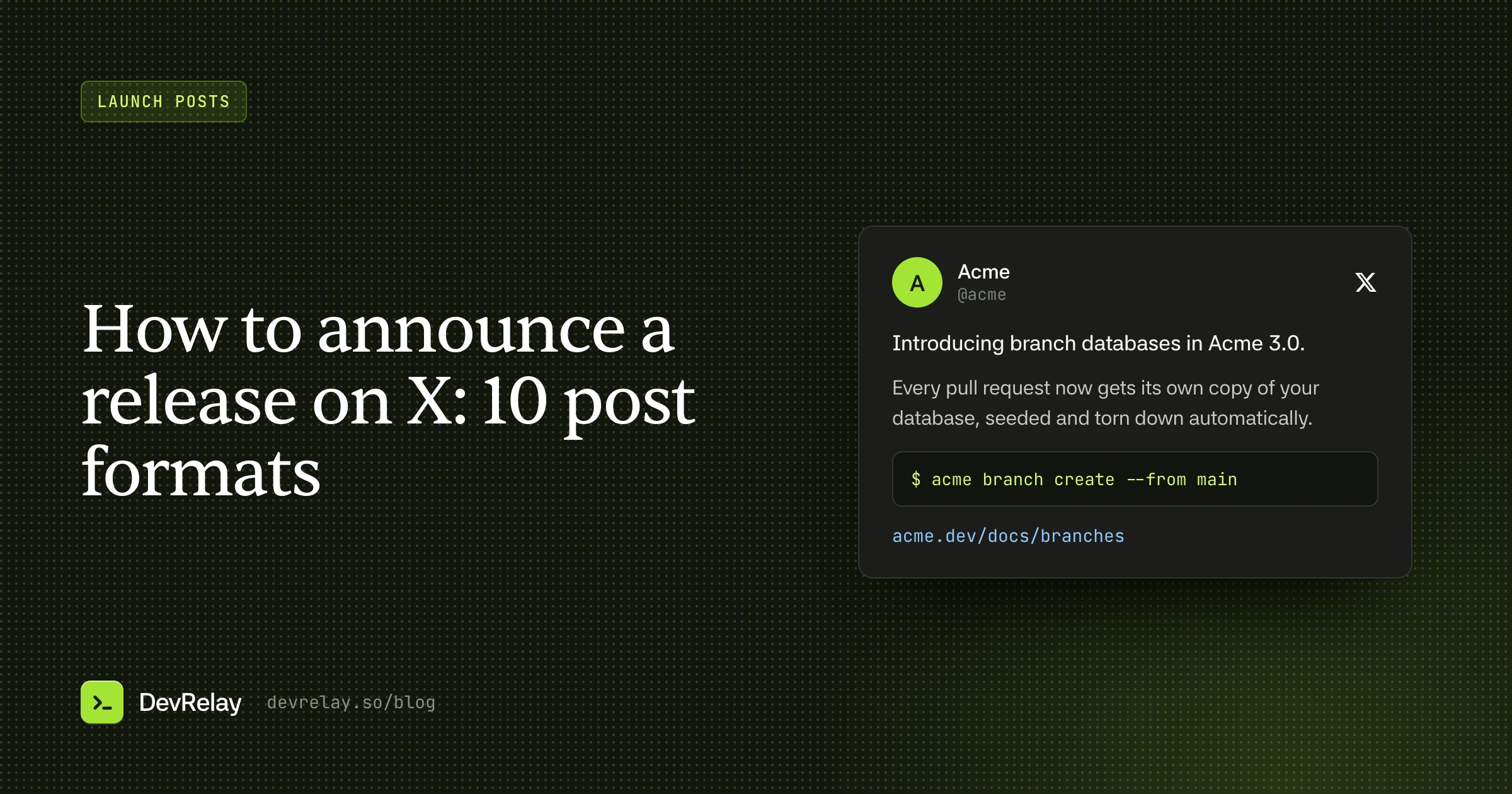
1. Introducing
Use when the release has three or more distinct things users can now do. It's the default for a big launch.
Introducing {capability} in {Product} {version}.

{One sentence: what a developer can now do that they couldn't before.}

- {benefit 1}
- {benefit 2}
- {benefit 3}

{link}
Introducing branch databases in Acme 3.0.
Every pull request now gets its own copy of your database, seeded and torn down automatically.
- Migrations run against real data before merge
- No shared staging DB to fight over
- Branches expire when the PR closes
acme.dev/docs/branches2. Problem, then fix
Use when you can name the pain this release removes, in the words your users use. Don't open with an invented statistic; open with the frustration.
{The pain, stated as the developer feels it.}

{Product} {version} fixes that: {capability}.

{One or two sentences on how it works.}

{link}
Your staging database is shared by the whole team, and broken by some of them.
Acme 3.0 fixes that: every pull request gets its own database branch.
It copies your schema and a sample of data on PR open, and deletes it on merge.
acme.dev/docs/branches3. How it works
Use when the feature is a flow (set up, run, result) and three short steps explain it better than adjectives.
{Product} {version} adds {capability}.

How it works:
1. {step 1}
2. {step 2}
3. {step 3}

{link}
4. Minimal
Use when an image or short video carries the detail. The text just names the thing and gets out of the way.
Meet {capability}, in {Product} {version}.

{link}
Formats for a feature
5. You can now
Use when you've added a new option, flag, method or endpoint. Include a snippet if you have one that works as-is. It's the strongest proof there is.
You can now {do the thing} in {Product} {version}.

{the command or snippet, on its own lines}

{link}
You can now set an expiry on branches in Acme 3.1:
acme branch create --ttl 48h
acme.dev/docs/branches#ttl6. Before / after
Use when you can show the old way and the new way side by side. It works especially well for anything that replaces a workaround.
Acme 3.1:

Before: a cron job to clean up stale branches
Now: acme branch create --ttl 48h

acme.dev/docs/branches#ttl
7. Small win
Use when it's a quality-of-life change with no new API: clearer errors, a faster command, a nicer CLI output. Calling it small is part of the charm, and it keeps big-launch language for big launches.
Small one in Acme 3.1: acme branch list now shows each branch's size and expiry.

No more guessing which branches are eating your storage.
Formats for fixes, performance and breaking changes
8. Symptom first
Use when you're announcing a bug fix. Lead with what users saw, not the internal cause, so the people who hit it recognise it immediately.
If acme branch create hung on databases over 50 GB, that's fixed in Acme 3.1.2.

It affected branches created from snapshots older than 7 days.

npm i -g @acme/cli@3.1.2
9. Old → new
Use when you have measured numbers: the old value, the new value and what was measured. Without all three, don't use this format. "10x faster" with no context invites the reply "on what?"
Branch creation in Acme 3.2:

p95: 41s → 6s on a 10 GB database

Branches now copy-on-write from the parent instead of restoring a snapshot.
acme.dev/changelog/3-2
10. Heads-up
Use when it's a breaking change or deprecation. Say what changes, who's affected and the one step to take. Never frame a breaking change as a feature: the people it affects need to know it will break their build, and "exciting new config format!" hides that.
Heads up: acme branch create --seed is removed in Acme 4.0.

Affects you if your CI scripts pass --seed.
Use --data-sample instead. Migration guide: acme.dev/docs/migrate-4
Single post or thread?
Use a single post for fixes, small wins, deprecations and most features. If it fits in 280 characters with a link, it should.
Use a thread for a major launch with several capabilities, or when a feature needs a few steps to explain. Keep the first post self-contained: it should work even if nobody expands the thread. Each following post should expand one bullet or one step from the first. Put the link in the first post as well as the last, since many people never reach the end.
Rules that apply to every format
- One post, one change. A post about five things is a post about nothing. Put the full list in the changelog and link to it.
- Name the version. "Acme 3.1" tells users whether they already have it. "Our latest update" doesn't.
- Show, don't adjective. Replace "blazing fast" with the number and "powerful new API" with the snippet.
- Keep it true. Don't call a beta "generally available", don't claim "the first" of anything unless you can prove it, and don't quote a number you didn't measure. Developers check.
- Go easy on emoji and hashtags. One emoji can help scanning; five reads as a template. Hashtags rarely help developer posts.
- Rotate formats. If your last three posts all opened with "Introducing", your followers have stopped reading the word. Mixing formats by change kind does this for you.
- Post the fix too. Fixes are the posts your existing users care about most. They're proof you listen.
Adapting it for LinkedIn
The same release usually deserves a LinkedIn post, but not the same text. LinkedIn readers include engineering managers and buyers as well as developers, and only the first two or three lines show before "see more". A structure that works:
- The problem, in one or two sentences.
- What you released: product, version and capability, in one sentence.
- How it works, in three short bullets.
- Who it's for, if that's clear.
- The link.
Aim for 120 to 220 words, keep paragraphs short, and if you use hashtags at all, put no more than three at the end.
How DevRelay picks the format
DevRelay's launch posts are built on these ten formats plus the LinkedIn structure above. When a GitHub release ships, it works out the change kind from your Conventional Commits and labels, or from a classifier when they don't say. That decides which formats are allowed: a fix only gets Symptom first, a performance change only gets Old → new when the evidence contains both numbers, and a breaking change only gets Heads-up. The writer picks one of the allowed formats, and the last three X formats rotate out so your feed doesn't repeat itself.
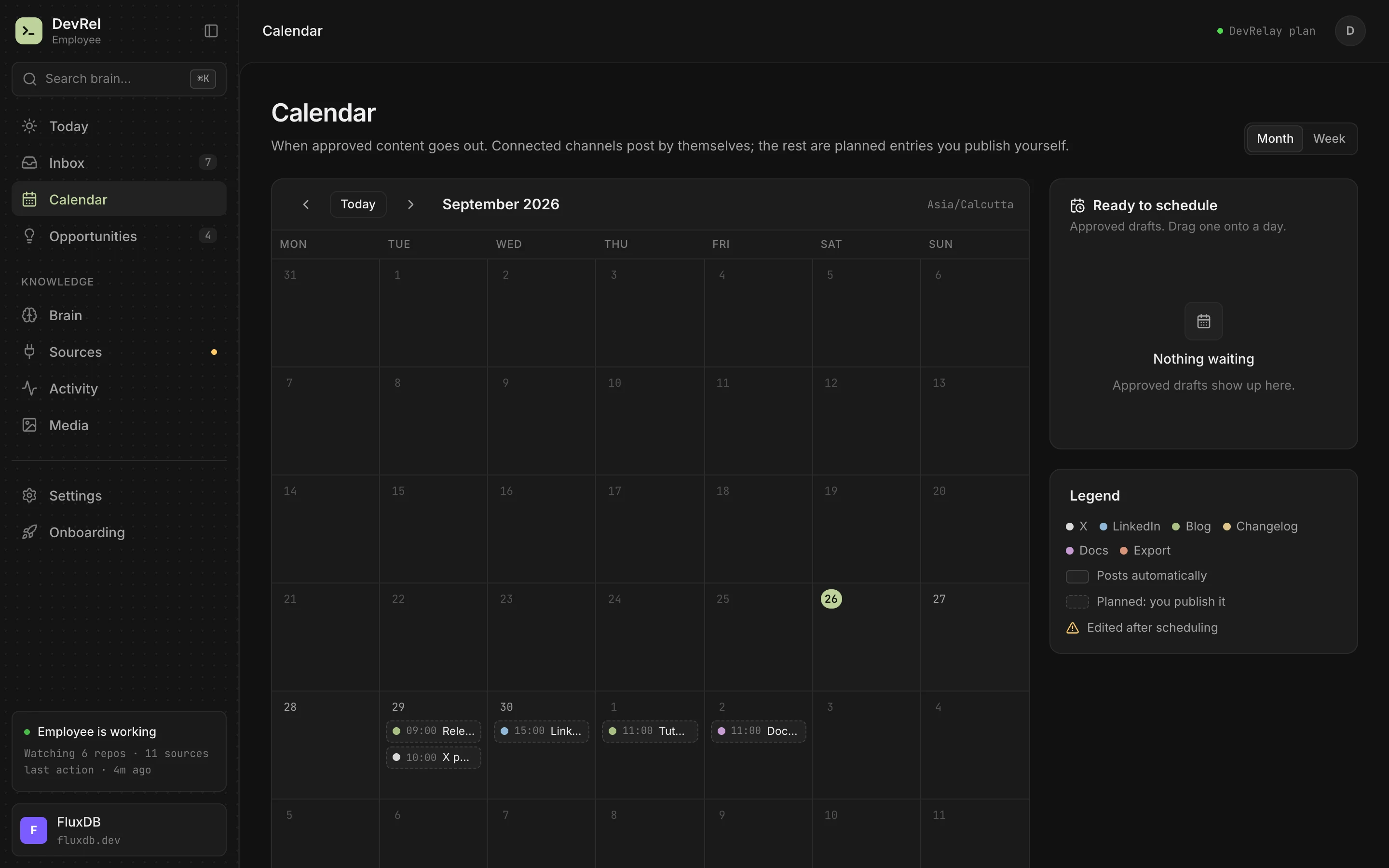
Every claim is checked against the diff and the release, unreleased changes get no post at all, and nothing is posted until you approve it, either immediately or at a time you pick on the calendar.
Frequently asked questions
How long can a post on X be?
A standard post is limited to 280 characters, and every link counts as 23 characters regardless of its length. Longer announcements work better as a thread whose first post stands on its own.
Should a release announcement be a single post or a thread?
Use a single post for fixes, small wins, deprecations and most features. Use a thread for a major launch with several capabilities, keeping the first post self-contained and putting the link in it.
How do you announce a breaking change on X?
Lead with a heads-up: say what changes, who is affected and the one step to take, and link to the migration guide. Don't frame a breaking change as a feature.
Should the LinkedIn post be the same as the X post?
No. LinkedIn readers include managers and buyers, and only the first lines show before "see more". Lead with the problem, then the release, how it works in three bullets and a link, in roughly 120 to 220 words.